
One account for three applications: choosing shared sign-in
The goal was simple: one account for three applications. I had two options on the table — an ideal long-term design and a realistic one for the available time. I chose the second, keeping the first as a possible direction for future development.
- Goal
- Decide how to achieve one account and shared sign-in across three applications within the available time.
- Tools
Review of existing code and processes · Keycloak as the shared identity system · comparison of two architecture options
- Process
- User need → existing-process analysis → ideal and realistic options → comparison of scope, migration and dependencies → first-stage decision.
- Result
- The realistic option was chosen and the first-stage scope agreed for a developer. A separate account service remained a possible direction for future development.
One key, separate access rules
One account for several applications is like one key for different buildings. It should be convenient to use, while each building keeps its own rooms and access rules. In applications, shared identity verification also needs to coexist with local permissions and data.
From the user’s perspective, the need was specific: sign in once and move to another application without entering a password again while the shared session remains active. This is single sign-on, or SSO. Both options were to use Keycloak, a system that verifies user identity and manages the sign-in session. Shared sign-in does not replace rules for granting and removing access, which I also cover in the onboarding and offboarding article.
Before choosing a solution, I checked the starting point
The applications already existed. They had registration, account activation, first-password setup, password reset, profiles and an administration panel. One handled shared business data, while the learning application had its own sign-in and product data.
The analysis therefore covered the entire account lifecycle. We needed to decide which processes to keep, which to move and how to link a user across applications. With that picture on the table, I could make a meaningful comparison between the two options.
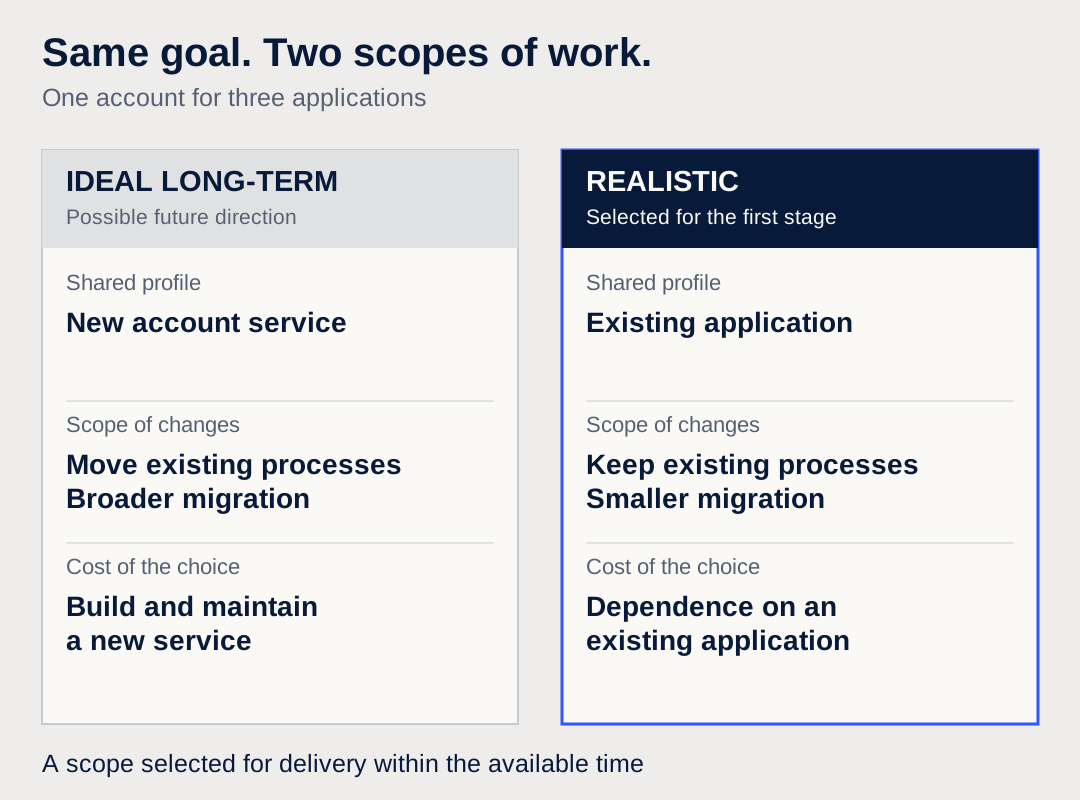
The ideal option: a separate account service
The target design would introduce a separate shared-account service. It would manage profiles, contact details, consent and account processes for all products. Keycloak would still own identity, passwords and the shared session. Each application would retain its own data and permissions.
This gave a clear division of responsibilities: the shared profile would belong to none of the individual products. Another application could join the neutral account service. The shared profile panel would also have a place of its own.
But it meant building and then maintaining a new service, moving data and reworking registration, activation, password processes and the administration panel. It also meant a broader migration, more tests and a rollback plan in case deployment went wrong. All of that would need to be included in the time required to deliver the first benefit to a user.
The realistic option: use the existing processes
In the second option, the shared profile would remain in the application that already managed it. We would retain its registration, activation, account panel and existing way of initiating password resets. Keycloak would provide the shared identity and sign-in session.
The learning application would use the same sign-in without keeping a separate password for these users. Its local profile would be created or linked on the first successful entry. Its organisations, materials, progress and permissions would stay in place.
The migration and rework scope was smaller. There was also a specific compromise: an application historically responsible for one product would continue to handle the shared profile. Further products would depend on the data and integration rules it exposed.
What I actually compared
| Area | Ideal option | Realistic option |
|---|---|---|
| Shared profile | Separate account service | Existing application |
| Registration and activation | Moved to a central process | Existing processes retained |
| Account panel | New, neutral panel | Existing panel |
| Migration and testing | Broader scope of changes | Limited scope of changes |
| Work before the first benefit | More building and migration | More use of what already works |
| Cost of the choice | A new service to maintain | Continued dependence on an existing application |
I chose a scope for the available time
I chose the realistic option for the first stage. The priority was one account and moving between three applications without another password prompt. Limiting the changes let us focus the planned work on that goal.
The ideal option remained a reference point for future development. A separate account service could be reconsidered as products and shared processes grew, or as dependence on one application began to hinder further changes. That step would require reassessing ownership boundaries and migration.
What went into the first stage
The scope included shared sign-in, persistent links between user records and mapping existing roles. The learning application’s local profile would be created on the first successful sign-in. A new account service, another product integration and paid subscriptions stayed outside this stage.
The acceptance criteria described user behaviour: moving from one application to another, entering from a new tab, handling the absence of an active session and returning to the right page after sign-in. Production configuration details still needed confirmation before implementation.
The outcome of this analysis was an agreed scope for a developer. Alongside the target design, I had an option selected for the available time — with its compromise clearly stated. For a similar task, it is worth recording those three things: what we do now, what we leave for later and which dependency we consciously retain.