Create Your Own Pet in Codex
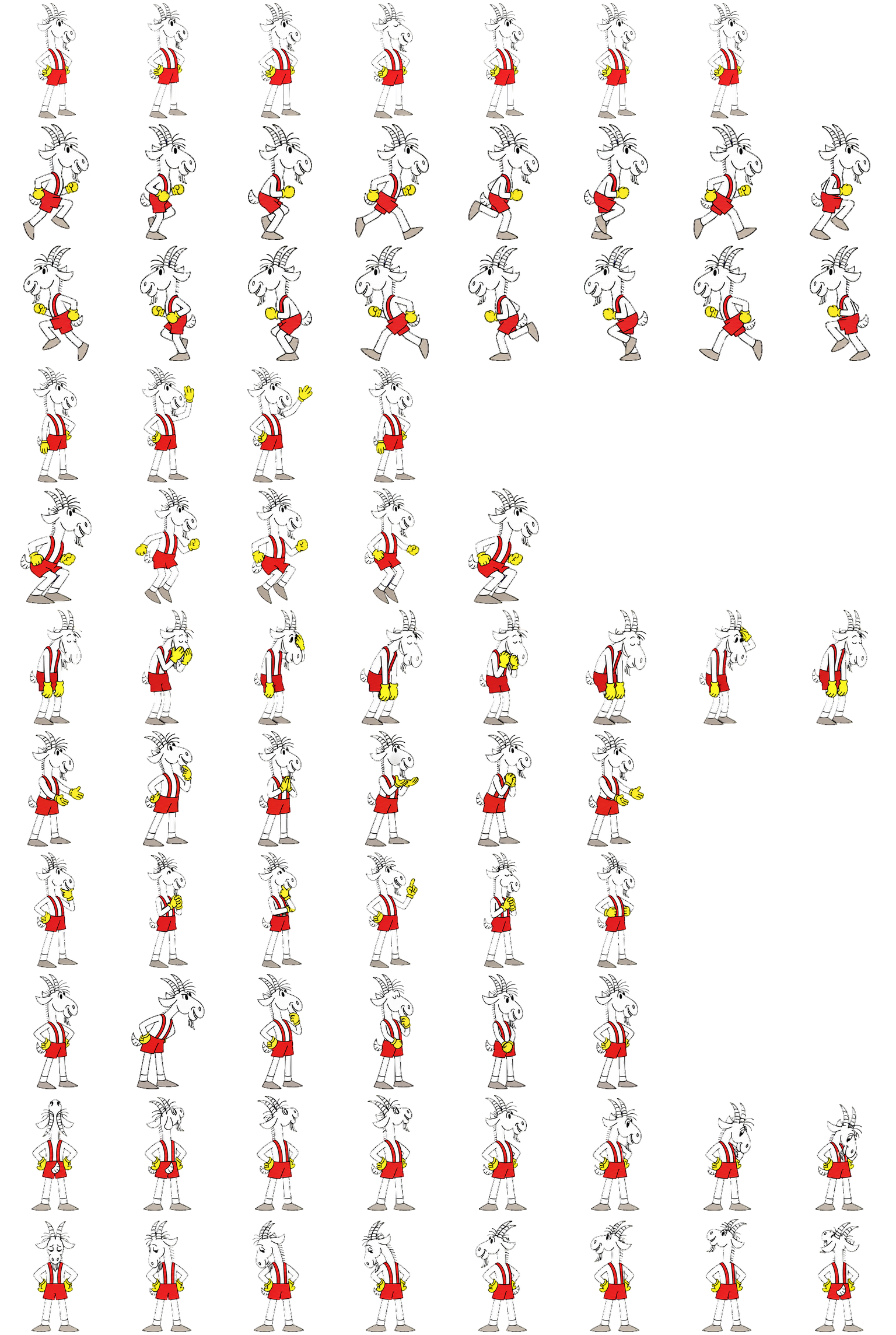
My pet in Codex is Koziołek Matołek. I show him here and use the Iskra project to explain how a character is created.
- Goal
- Create a character and turn it into a local pet package.
- Process
- Short idea → character design → frames and previews → review → installation.
- Result
- My Koziołek Matołek and his animation atlas; the process described comes from the Iskra project.
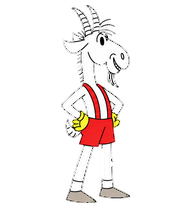
Not every AI project has to end with an app, an analysis, or a repaired spreadsheet. You can also make something for fun: your own pet for Codex. My pet is Koziołek Matołek, the goat shown in the illustration.
The creation and animation checks described below come from the Iskra project — a little orange fox with blue-green eyes, dark paws, and a pale belly. These are two different characters: Koziołek is my pet, while Iskra’s story shows the process of working with an agent.
This is a project I would suggest for a quiet evening: imagine a character, look at the result, check the movement, and decide what to improve. Leave time for a few attempts. A lovely first picture is only part of the work.
It started with one sentence
My instruction was very short: “create a pet based on what you know about me.” I used Hatch Pet, a tool for preparing pets.
The agent suggested the name Iskra and a workshop fox. The design description included curiosity, precision, and the energy to make things. This was its interpretation of the conversation context, rather than an assessment of my personality. It turned that into a design direction: a clear silhouette, large eyes, few tiny details, and a distinctive tail.
Later, I clarified that I wanted to make this character my pet in Codex. Animation frames, motion previews, and a finished package followed. Iskra was installed locally as a custom pet. Both the installation files and review materials were preserved.
That distinction matters for a first attempt. A mascot image and a pet that works in an application need different results. The latter also requires movement, the correct format, and installation. Installation is confirmed in Iskra’s story; selecting her on screen remains a separate step.
Give AI something to work with
My first instruction referred to earlier context. If you are starting a new conversation, provide that context directly. The model does not necessarily know your earlier projects, and a vague “make something that suits me” leaves plenty to chance.
Three things are enough: the character’s personality, what you associate it with, and how it should look. You might want a calm turtle for writing, an inquisitive fox for experiments, or a little robot for technical work. These are ideas for your design, not ready-made personality categories.
The following prompt is a template for the reader — an expanded version of the idea I started with:
I want to create my own pet for the Codex desktop app.

My context: [what I do and the associations I like].
Character: [an animal, creature, or mascot].
Personality: [for example calm, curious, a little playful].
Appearance: [colours and style, for example a soft 3D toy].

First suggest a design and show the character. I want a clear silhouette
even at a small size, with a few distinctive features.
Once I choose a direction, preserve it across the animation frames.

Prepare the pet in a format supported by my version of the app.
Show motion previews, check the technical requirements, and list any
imperfections you notice. Finally, guide me through installing and selecting it.
Clearly distinguish: finished image, finished package, installation, and activation.
You do not need an elaborate biography. In Iskra’s design, personality became a few visible features. I suggest the same simplicity: start with one character and a handful of traits you want to preserve.
How to start in the app
The official desktop guide, checked on 7 October 2026, describes this path:
- Open Settings → Pets → Create pet and describe the character in the new chat.
- When it is ready, return to Pets, select Refresh, and choose your character.
- Show it with
/pet; hide it with the same command or Hide.
A custom desktop pet is stored locally and does not automatically sync to the browser version. Choosing one changes the appearance, not the AI’s abilities. If these options are unavailable, check your app version and environment settings.
Look at what actually moves
Iskra’s project produced previews of standing, running, waving, and jumping, among other movements. Individual frames were also assembled into one file called an animation atlas. The app reads the character’s successive poses from it.
You do not have to arrange that file manually. It is worth watching the result move, though. A fox that looks good in one frame might change proportions in the next or make an unclear gesture.
When reviewing the result, check a few things:
- The same character: do the eyes, colours, tail, and proportions remain recognisable?
- Small size: can you still see the face and understand the gesture?
- Movement: do running, jumping, and returning to a resting pose look natural?
- Edges: is there a rectangular background or a coloured fringe around the character?
- Directions: without labels, can you tell which way the pet is looking?
The final point comes from my project. Iskra’s atlas passed its technical check, but a direction-recognition test without hints flagged several subtle diagonal glances. The final visual review considered them sufficient after viewing a labelled sequence. Those frames were not corrected, however. This does not prove that every glance is unambiguous.
It is a small, concrete example of an automated check’s limits. A file can meet the app’s requirements while a person still wants to improve its appearance. It is worth asking for both kinds of review.
Improve one thing at a time
If you like the character and only the tail movement bothers you, name that problem. A general “make it better” might change the whole design. For example, you could use this instruction for another iteration:
“Keep the character, colours, and proportions. Change only the running animation: the tail changes shape between frames. Show the old and new previews side by side. Leave the other animations unchanged.”
This is a suggestion for the reader, not a quotation from my session. You can similarly point out a wave that is too fast, an unclear jump, or a gaze whose direction you cannot recognise.
Finally, select the pet in the app and watch it while you work. Check how to hide it too. Your mascot should be something you enjoy — you do not need to see it all the time.
Iskra is a concrete result of this experiment: from a short request, through character design and animation, to an installed package. If you want to try it, start with one sentence about the pet that would suit your workspace. Then look at what AI makes of that clue and take the first decision: what stays, and what would you like to change?